Samsung Odyssey 27-Inch Monitor Comparison: Choosing the Right Screen for Your Family
Choosing a family-friendly desktop display often comes down to finding a balance between eye comfort, ergonomic adaptability, and responsive gaming performance. A modern samsung odyssey 27 inch display provides a versatile form factor that fits comfortably on standard home desks without dominating the room. Households must weigh several display characteristics, including whether a curved or…
As Amazon Associates, we earn from qualifying purchases. This means we may receive a small commission at no extra cost to you if you click through and make a purchase.
Choosing a family-friendly desktop display often comes down to finding a balance between eye comfort, ergonomic adaptability, and responsive gaming performance. A modern samsung odyssey 27 inch display provides a versatile form factor that fits comfortably on standard home desks without dominating the room. Households must weigh several display characteristics, including whether a curved or flat screen suits their workspace, whether an IPS or VA panel better serves their lighting conditions, and whether features like blue light reduction and smooth refresh rates protect eye comfort during long school sessions and weekend gaming marathons. While some power users contemplate massive desk configurations like a samsung ultrawide 49 setup, a 27-inch QHD screen remains the most practical and adaptable centerpiece for shared family spaces.
Samsung organizes its 27-inch Odyssey gaming monitor catalog into distinct tiers that cater to specific visual priorities and workspace arrangements. The lineup starts with deeply curved VA models that wrap peripheral vision for deep black levels, transitions into versatile flat IPS designs built for wide viewing angles and shared desks, and extends into high-speed esports variants. At the high end, advanced QD-OLED engineering provides near-instant pixel response and creator-grade color reproduction. Understanding this structured hierarchy through a focused samsung odyssey 27 inch comparison helps parents and gamers determine exactly which samsung odyssey 27 inch to buy to meet their everyday needs without overpaying for unused hardware capabilities.
Samsung Gaming Monitors Lineup at a Glance
| Model | Panel Technology | Refresh Rate & Response | Stand Adjustability |
|---|---|---|---|
| Samsung 27-Inch Odyssey G55C Series QHD | 1000R Curved VA (Matte) | 165Hz, 1ms (MPRT) | Fixed tilt only |
| SAMSUNG 27-Inch Odyssey G50D Series QHD | Flat Fast IPS (Glossy) | 180Hz, 1ms (GtG) | Height, tilt, swivel |
| Samsung 27” Odyssey G5 | Flat IPS (Matte) | 180Hz, 1ms (GtG) | Height, tilt, swivel, pivot |
| Samsung 27″ Odyssey G5 | Flat VA (Matte) | 180Hz, 1ms (MPRT) | Height, tilt, pivot |
| Samsung 27” Odyssey G5 | Flat IPS (Matte) | 200Hz, 1ms (MPRT) | Listing does not specify |
| Samsung 27″ Odyssey OLED G6 | Flat QD-OLED (Matte) | 240Hz, 0.03ms (GtG) | Height, tilt, swivel, pivot |
Figures in this table come from the write-up and the product pages it links to.
The Models in Detail

Model 01 of 06
SAMSUNG 27-Inch Odyssey G50D Series QHD
Our score Overwhelmingly positive
What the listing highlights
- BOOST YOUR REALITY QHD resolution packs 1.7x the pixel density of Full HD and boasts detailed, pin-sharp images; Fast IPS panel delivers clear colors and wide 178° viewing angle for clarity from any…
- REACT IN REAL TIME Speed through scenes; 180Hz refresh rate eliminates lag for exhilarating gameplay with ultrasmooth action; A 1ms¹ response time (GtG) enables frames with minimal blur, allowing you to jump on enemies…
- SHED NEW LIGHT ON HIDDEN DETAILS: VESA DisplayHDR 400 delivers more contrast, with deeper blacks and brighter whites, to help you uncover hidden enemies lurking in the shadows; Even in…
What to check on the listing
- No Prime badge on this listing.
- Sold by Shimmmy; the listing does not show Amazon fulfilment.
Both columns are read from the Amazon product page. Nothing here comes from hands-on use.
Best for Shared family desks needing ergonomic adjustments
Pros
- 180Hz Fast IPS panel
- VESA DisplayHDR 400
- G-Sync and FreeSync support
- Fully adjustable ergonomic stand
Cons
- Glossy screen finish
- 1000:1 contrast ratio

Model 02 of 06
Samsung 27-Inch Odyssey G55C Series QHD
Our score Very positive
What the listing highlights
- BOOST YOUR REALITY Your gaming world, more lifelike than ever before; Packing in 1.7x the pixel density of Full HD, QHD resolution boasts incredibly detailed, pin-sharp images; Experience a fuller view with more…
- REACT IN REAL TIME Experience the exhilaration of game play as you speed through scenes with a 165Hz refresh rate that eliminates lag for smooth action; Jump on enemies immediately with a 1ms1 response…
- REACT IN REAL TIME Speed through scenes; 165Hz refresh rate eliminates lag for exhilarating gameplay with ultra smooth action; Jump on enemies right when you see them with a 1ms(MPRT) response time for frames…
What to check on the listing
- Sold by Walts TV; the listing does not show Amazon fulfilment.
Both columns are read from the Amazon product page. Nothing here comes from hands-on use.
Best for Immersive curved viewing on family desks
Pros
- 1000R curved display
- 165Hz refresh rate
- 2500:1 contrast ratio
- Eye Saver Mode
Cons
- Stand lacks height adjustment
- 1ms MPRT response rating
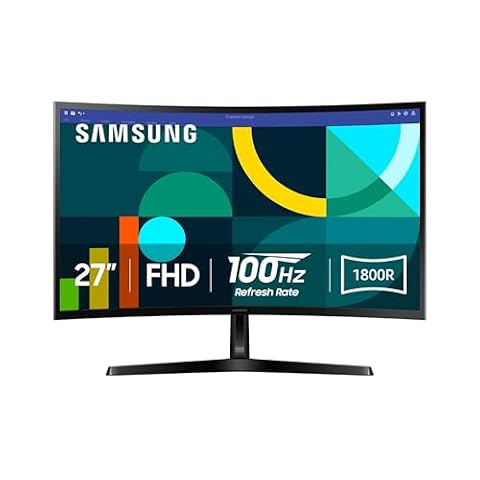
The Samsung 27-Inch Odyssey G55C Series QHD is engineered around a deep 1000R curvature that closely matches the natural human field of view. According to its specifications, this screen provides QHD resolution with 1.7 times the pixel density of standard Full HD, creating crisp text for homework and detailed game worlds. The VA panel delivers a strong 2500:1 contrast ratio, allowing deep shadow details to emerge alongside luminous whites via HDR10 processing. A matte screen finish diffuses ambient desk lamp glare, while the 300 candela per square meter brightness rating offers ample clarity for typical indoor lighting.
For motion clarity and tear-free visuals, this monitor incorporates a 165Hz refresh rate paired with a 1ms MPRT response time and AMD Radeon FreeSync synchronization. Eye comfort is a central focus for family settings, supported by an Eye Saver Mode that lowers blue light emissions and integrated screen flicker reduction to prevent eye strain during extended homework sessions. Those researching a dedicated samsung curve monitor will appreciate how this 1000R arc pulls peripheral details directly into view, creating an immersive solitary workspace.
This samsung 27-inch odyssey g55c is best suited for single-user desk environments where an individual sits centered in front of the display for gaming and study. However, because its VA panel viewing angle narrows contrast when seen from extreme sides and its stand offers basic tilt without height adjustments, it gives way to the flat IPS models in the range when multiple family members need to gather around the screen simultaneously.
Also in this lineup
SAMSUNG 27-Inch Odyssey G50D Series QHD
The SAMSUNG 27-Inch Odyssey G50D Series QHD shifts the design focus toward wide-angle clarity and versatile physical positioning. Featuring a Fast IPS panel with a 178-degree viewing angle, this monitor maintains accurate color representation even when viewed from off-center positions. The display boasts a peak brightness of 350 candelas per square meter and carries VESA DisplayHDR 400 certification, which delivers vibrant highlights across video streaming and gaming. Unlike its matte siblings, this model features a glossy screen finish that accentuates color saturation and sharpness in controlled lighting environments.
Performance benchmarks include a fluid 180Hz refresh rate combined with a true 1ms gray-to-gray response time. This configuration virtually eliminates ghosting and motion blur during fast-moving sequences. The monitor is certified for both G-Sync compatibility and AMD FreeSync, ensuring seamless frame synchronization across diverse computer graphics hardware. Crucially for shared home offices, the included stand provides full ergonomic mobility, swiveling, tilting, and adjusting height to accommodate users of different statures.
Families looking for an adaptable, multi-user workstation will find the samsung 27-inch odyssey g50d an exceptional fit thanks to its generous viewing angles and posture-friendly stand. It yields to the curved G55C or the VA-equipped G51F in dedicated dark rooms, where its IPS 1000:1 contrast ratio produces lighter dark tones compared to high-contrast VA panels.

What the listing highlights
- Samsung’s 27” Odyssey G5 QHD Gaming Monitor delivers brilliant visuals for exhilarating gameplay that’s more immersive than ever before.
- QHD resolution (2560 x 1440) boasts incredibly detailed, pin-sharp images.
- With a wide 178° viewing angle, the IPS panel consistently delivers crisp, clear hues from various viewpoints.
What to check on the listing
- No Prime badge on this listing.
Both columns are read from the Amazon product page. Nothing here comes from hands-on use.
Best for Fast-action gaming and shared daytime viewing
Pros
- Rapid 200Hz refresh rate
- Vibrant wide-angle IPS panel
- AMD FreeSync Premium
- Auto Source Switch+
Cons
- Stand adjustability unlisted
- 1ms MPRT response rating
Best for Shared home gaming and daily homework
Pros
- 180Hz refresh rate
- Wide-angle IPS panel
- Ergonomic pivot stand
- Auto Source Switch+
Cons
- Standard 1000:1 contrast ratio
- 300 nit brightness cap
The Samsung 27” Odyssey G5 (model G50F) combines the color consistency of a flat IPS panel with a glare-resistant matte screen surface. Delivering 2560 x 1440 resolution at 300 candelas per square meter of brightness, it produces sharp visuals with 99 percent color gamut coverage. Visual processing includes HDR10 support alongside a Black Equalizer feature that reveals opponents hiding in dark corridors, and a Virtual Aim Point overlay designed to improve target accuracy in gaming titles.
On the hardware side, this monitor achieves a 180Hz refresh rate with a 1ms gray-to-gray response time, backed by both FreeSync and G-Sync compatibility. A standout productivity feature highlighted in the listing is Auto Source Switch+, which automatically detects and displays newly connected devices without manual menu navigation. The supplied ergonomic stand offers comprehensive adjustments, including height modification, swivel, tilt, and vertical 90-degree pivot for document viewing.
As a balanced all-rounder, this samsung 27 odyssey g5 g50f is an outstanding choice for shared student desks where users regularly toggle between a desktop gaming tower and a school laptop. It hands off to the higher-contrast G51F model for movie enthusiasts who prioritize deep black levels over wide off-axis viewing angles.

What the listing highlights
- QHD Resolution (2560 x 1440) has 1.7 times the pixel density of Full HD for incredibly detailed pinsharp images
- HDR10 provides brighter highlights and nuanced shadow for added depth – making every scene feel more vivid and realistic
- The 180Hz refresh rate minimizes lag for gameplay with ultra-smooth action. Plus, the 1ms response time helps capture your moves in real-time, allowing you to react fast for gaming precision
What to check on the listing
- No Prime badge on this listing.
- Sold by Emma's Market (Made in USA); the listing does not show Amazon fulfilment.
Both columns are read from the Amazon product page. Nothing here comes from hands-on use.
Best for Competitive gamers demanding top-tier motion clarity
Pros
- 240Hz QD-OLED display
- 03ms response time
- OLED Safeguard cooling system
- Pantone Validated colors
Cons
- Requires active burn-in care
- Premium feature set
Best for Dark-room gaming and movie watching
Pros
- High 3000:1 contrast ratio
- 180Hz refresh rate
- Ergonomic tilt pivot height stand
- Black Equalizer shadow visibility
Cons
- Narrower 0.72 color gamut
- 1ms MPRT response rating
The Samsung 27″ Odyssey G5 (model G51F) pairs a flat screen layout with a high-contrast VA display panel. Its listing highlights an impressive 3000:1 static contrast ratio, which is three times higher than conventional IPS screens. This heightened contrast allows dark scenes, night landscapes, and cinematic sequences to display rich, inky blacks rather than muddy grays. The monitor retains the standard QHD 2560 x 1440 resolution and a non-reflective matte finish that keeps room reflections under control.
Operational specifications match modern gaming requirements with a 180Hz refresh rate, a 1ms MPRT response time, and AMD FreeSync support to eliminate stutter and screen tearing. It also incorporates HDR10 signal handling and Samsung’s Black Equalizer to fine-tune visibility in deeply shadowed game environments. The ergonomic stand is fully featured, supporting height adjustment, tilt, and portrait pivot rotation.
This samsung 27 odyssey g5 g51f is tailored for users who prefer nighttime gaming, atmospheric single-player adventures, and movie watching in dim rooms. Its color gamut is specified at 0.72, meaning households focused on vibrant color critical tasks or wide daytime group viewing will find the IPS-based G50D or G50F more appropriate.

What the listing highlights
- Samsung’s 27” Odyssey G5 QHD Gaming Monitor delivers brilliant visuals and unparalleled lightning-fast action.
- QHD resolution (2560×1440) boasts incredibly detailed, pin-sharp images.
- With a wide 178° viewing angle, the IPS panel consistently delivers precise, radiant hues.
What to check on the listing
- No Prime badge on this listing.
Both columns are read from the Amazon product page. Nothing here comes from hands-on use.
The Samsung 27” Odyssey G5 (model G53F) elevates fluid motion performance by pushing its refresh rate to 200Hz. Utilizing a flat IPS panel with wide 178-degree viewing angles, it ensures that colors remain accurate and radiant across the entire panel. The display provides crisp 1440p resolution paired with a matte anti-glare coating that diffuses direct lighting from nearby windows or desk lamps.
Motion handling is augmented by a 1ms MPRT response metric and AMD FreeSync Premium certification, providing an exceptionally smooth baseline for fast-paced titles and competitive multiplayer gaming. The unit features HDR10 decoding, Black Equalizer shadow tuning, a Virtual Aim Point on-screen crosshair, and Auto Source Switch+ for convenient device switching when multiple inputs are wired into the display.
The samsung 27 odyssey g5 g53f is ideal for households with aspiring esports players who want maximum frame rates on a dependable IPS screen. However, the listing does not specify ergonomic adjustability for its stand, so shoppers requiring comprehensive height and pivot mechanisms may prefer the fully adjustable G50F or G51F models.

Model 06 of 06
Samsung 27" Odyssey OLED G6
Our score Overwhelmingly positive
What the listing highlights
- Samsung’s 27” Odyssey OLED G6 Gaming Monitor is engineered for perfection with a QD-OLED Display featuring QHD resolution made to deliver high brightness and a wide range of colors for…
- OLED Safeguard technology supports performance by actively helping to prevent burn-in with a thermal modulation system
- Glare Free Technology keeps screen clear of reflection from external light sources
What to check on the listing
- No Prime badge on this listing.
- Sold by Prime Merchant LLC (SN Recorded); the listing does not show Amazon fulfilment.
Both columns are read from the Amazon product page. Nothing here comes from hands-on use.
The Samsung 27″ Odyssey OLED G6 represents the premium apex of the 27-inch category, incorporating self-emissive QD-OLED display technology. With individually controlled pixels, it achieves an extraordinary 1,000,000:1 contrast ratio and a peak brightness of 400 candelas per square meter. It carries Pantone Validation across more than 2,100 colors and 110 skin tones, making it equally capable for visual artistry and entertainment. Glare Free Technology and a matte screen finish ensure that external room lights do not degrade panel clarity.
Motion performance is unmatched across the lineup, delivering a blazing 240Hz refresh rate and a near-instantaneous 0.03ms gray-to-gray response time backed by AMD FreeSync Premium. To ensure long-term durability, Samsung equips this model with OLED Safeguard, featuring a Dynamic Cooling System and Thermal Modulation System that continuously regulates panel temperature to prevent burn-in. Shoppers evaluating high-end hardware like a 1440p 240hz monitor samsung will find this monitor engineered for peak visual execution, supported by a fully adjustable ergonomic stand that tilts, swivels, pivots, and alters height.
Positioned as the best samsung 27 inch gaming monitor for uncompromising enthusiasts, this samsung 27 odyssey oled g6 suits dedicated gaming rigs and creative setups. It gives way to the standard LCD Odyssey models for general family use, where static desktop tasks and budget considerations prioritize worry-free daily utility over specialized OLED safeguards.
Matching a Model to Your Setup
- Solo Immersive Workspaces: Choose the Samsung 27-Inch Odyssey G55C Series QHD for its 1000R curvature that wraps into your peripheral vision and delivers deep 2500:1 contrast.
- Shared Family Study Desks: Opt for the SAMSUNG 27-Inch Odyssey G50D Series QHD, which provides wide-angle Fast IPS clarity and full height adjustment for family members of different heights.
- Multi-Device Student Workstations: Select the Samsung 27” Odyssey G5 (G50F) for its glare-reducing matte finish, versatile pivot stand, and Auto Source Switch+ convenience.
- Dim-Room Movie and Campaign Gaming: Pick the Samsung 27″ Odyssey G5 (G51F) to take advantage of its 3000:1 contrast ratio that preserves deep blacks in unlit spaces.
- Fast-Paced Competitive Play: Go with the Samsung 27” Odyssey G5 (G53F) to gain an edge with its rapid 200Hz refresh rate and wide-viewing IPS panel.
- Elite Performance and Creative Rigs: Deploy the Samsung 27″ Odyssey OLED G6 for instantaneous 0.03ms response times, 240Hz speed, and Pantone Validated color accuracy.
Before You Buy
Before purchasing any monitor from this lineup, shoppers should review their physical workspace dimensions and connection requirements. While the listings confirm standard 16:9 aspect ratios across all six displays, the product descriptions do not specify the exact types or quantities of video cables included in the box. Families planning to connect modern game consoles, desktop graphics cards, or school laptops should verify whether they need to source separate DisplayPort or HDMI cords to support high-refresh rates at native QHD resolution.
Additionally, the listings do not cite integrated audio speakers or downstream USB hub configurations for these models, meaning households should plan on using dedicated desktop speakers or gaming headsets for sound. Furthermore, while models like the G50D, G50F, G51F, and OLED G6 explicitly detail full height, tilt, and swivel stands, the listing for the G53F does not specify ergonomic stand adjustments, and the G55C is limited to basic tilt. Reviewing these physical parameters beforehand ensures seamless integration into your home office.
FAQ
What is the visual difference between IPS and VA panels in this lineup?
VA panels, such as those found on the G55C and G51F, deliver higher contrast ratios between 2500:1 and 3000:1, producing deeper black levels that excel in dimly lit rooms. In contrast, IPS panels on the G50D, G50F, and G53F prioritize wide 178-degree viewing angles and uniform color accuracy, making them better suited for brightly lit shared rooms where viewers sit at various angles.
Do these Samsung Odyssey 27-inch monitors include built-in speakers?
The product listings do not specify built-in speakers for any of the six monitors reviewed. Users should plan to connect external desktop speakers, computer soundbars, or headphones directly to their PC, gaming console, or dedicated audio output to receive sound.
How does Auto Source Switch+ help a busy family desk?
Auto Source Switch+, featured on models like the G50F and G53F, automatically detects when a connected device powers on and immediately transitions display input to that source. This eliminates the frustration of navigating through on-screen display menus when switching between a desktop PC and a connected school laptop.
What prevents burn-in on the Samsung Odyssey OLED G6?
The OLED G6 incorporates Samsung’s OLED Safeguard technology, which includes a Dynamic Cooling System and an intelligent Thermal Modulation System. These integrated technologies manage panel heat and modulate brightness across static elements like logos and taskbars to protect the QD-OLED display over time.
Which model is the best option for dark-room gaming?
The Samsung 27″ Odyssey G5 (G51F) and the Samsung 27-Inch Odyssey G55C are the premier choices among the LCD models for dark environments because their VA panels achieve static contrast ratios of 3000:1 and 2500:1 respectively. For high-end budgets, the OLED G6 offers the absolute deepest blacks through its self-lit pixel technology and 1,000,000:1 contrast ratio.
Balancing ergonomic comfort with daily performance ensures every family member gets the most out of a 27-inch display. If your household eventually requires more screen real estate for side-by-side multitasking, exploring the Ultrawide Monitor Hub provides clear comparisons on broader desktop setups. Choosing the right panel specs today guarantees a flexible station that adapts to both schoolwork and gaming for years.