Dell 27-Inch 4K UHD IPS Monitors: Tested Comparison for Family and Home Workspaces
Choosing a dell 27 4k uhd ips monitor requires balancing visual sharpness, daily durability, and eye comfort across varied household tasks. In a shared home where students complete assignments, remote professionals analyze spreadsheets, and families stream media, screen quality directly impacts daily focus. A 27-inch display with 3840 by 2160 resolution delivers high pixel density,…
As Amazon Associates, we earn from qualifying purchases. This means we may receive a small commission at no extra cost to you if you click through and make a purchase.
Choosing a dell 27 4k uhd ips monitor requires balancing visual sharpness, daily durability, and eye comfort across varied household tasks. In a shared home where students complete assignments, remote professionals analyze spreadsheets, and families stream media, screen quality directly impacts daily focus. A 27-inch display with 3840 by 2160 resolution delivers high pixel density, ensuring fine text remains crisp without continuous zooming. In-plane switching technology provides wide 178-degree viewing angles, maintaining consistent color when family members view the screen together. Evaluating panel coatings, blue light mitigation, and stand adjustability helps identify a durable screen built for multi-user demands.
Dell organizes its desktop displays into distinct tiers tailored to specific desk requirements. The consumer S-series emphasizes living-space styling, integrated audio, and high refresh rates for multimedia. The commercial P-series focuses on workday efficiency, offering versatile ergonomic stands and practical connectivity hubs. At the top tier, the UltraSharp range delivers factory color calibration, IPS Black contrast, and high-wattage single-cable power. Exploring this dell 27 monitor comparison clarifies these design differences, helping you decide which dell 27 inch 4k monitor to buy for your home office or family workspace.
Dell 27-inch 4K IPS Monitors Lineup at a Glance
| Model | Refresh Rate | Connectivity | Key Strengths |
|---|---|---|---|
| Dell 27 Monitor S2725QS | 120 Hz | HDMI, DisplayPort | Ash white finish, 1500:1 contrast, integrated audio |
| Dell 27 Monitor S2725QC | 120 Hz | USB-C with 65W PD, HDMI | 65W USB-C charging, 1500:1 contrast, built-in speakers |
| Dell UltraSharp U2725QE 27-Inch 4K UHD | 120 Hz | Thunderbolt 4 with 140W PD, HDMI 2.1, RJ45 | IPS Black, 140W power delivery, ambient light sensor |
| Dell DELL-P2725QE 27 in. Pro Plus | 100 Hz | USB-C, HDMI, DisplayPort | Full 4-way ergonomic adjustability, 1.07 billion colors |
| Dell P2725QE 27″ 4K UHD Monitor | 100 Hz | USB-C with 90W PD, DisplayPort, HDMI | Complete cable bundle, cleaning kit, 90W laptop charging |
| Dell S2721Q 27 Inch 4K UHD | 60 Hz | HDMI, DisplayPort | AMD FreeSync, HDR support, silver ultra-thin bezels |
Figures in this table come from the write-up and the product pages it links to.
The Models in Detail

Model 01 of 06
Dell 27 Monitor S2725QC
Average rating left by Amazon buyers Overwhelmingly positive
What the listing highlights
- Low blue light: The improved ComfortView Plus reduces harmful blue light emissions to ≤35%, for all-day comfort without sacrificing color accuracy.
- Refresh rate: A smooth, tear-free experience with AMD FreeSync Premium (refresh rate up to 120Hz) and an ultra-low 0.03ms response time create a captivating experience for work and play.
- Vivid colors: Immerse yourself in breathtaking 4K visuals with in-plane switching technology. Enjoy vibrant colors with 99% sRGB. The 1500:1 contrast ratio and HDR readiness deliver excellent depth and detail.
What to check on the listing
- No Prime badge on this listing.
Both columns are read from the Amazon product page. Nothing here comes from hands-on use.
Best for Organized home desks using USB-C laptops
Pros
- Single-cable 65W USB-C power delivery
- Smooth 120Hz refresh rate
- ComfortView Plus eye comfort
Cons
- 65W power limit for heavy laptops
Model 02 of 06
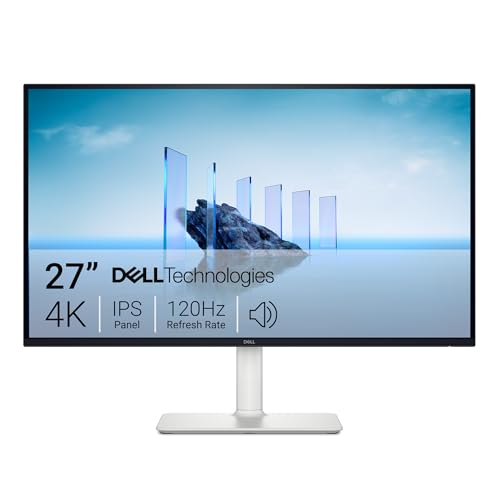
Dell 27 Monitor S2725QS
Average rating left by Amazon buyers Very positive
What the listing highlights
- Improved ComfortView Plus Reduces harmful blue light emissions to ≤35%, for all-day comfort without sacrificing color accuracy.
- Refresh rate: A smooth, tear-free experience with AMD FreeSync Premium (refresh rate up to 120Hz) and an ultra-low 0.03ms response time create a captivating experience for work and play.
- Vivid colors: Immerse yourself in breathtaking 4K visuals with in-plane switching technology. Enjoy vibrant colors with 99% sRGB. The 1500:1 contrast ratio and HDR readiness deliver excellent depth and detail.
What to check on the listing
- No Prime badge on this listing.
Both columns are read from the Amazon product page. Nothing here comes from hands-on use.
Best for Everyday family multimedia and light gaming
Pros
- Fluid 120Hz refresh rate
- ComfortView Plus low blue light
- Upgraded built-in speakers
Cons
- No USB-C laptop power delivery
The Dell 27 Monitor S2725QS serves as an agile multimedia screen for homes seeking crisp 4K detail and fluid motion. Operating at a 120Hz refresh rate with AMD FreeSync Premium and an ultra-low 0.03ms response time from the listing, it prevents tearing and stutter during streaming or casual gaming. The 27-inch IPS panel features a 1500:1 contrast ratio, 350 nits brightness, 99% sRGB coverage, and a matte finish with 163 pixels per inch. Its ash white chassis and ultra-thin bezels fit cleanly into modern living areas.
Eye comfort is backed by improved ComfortView Plus technology, which holds harmful blue light emissions to 35 percent or lower without distorting colors. Re-engineered built-in speakers provide greater output power, deeper frequency response, and wider decibel range than previous generations, handling calls and media without auxiliary speakers.
This dell 27 inch ips display suits family desks connected to desktop towers or consoles where smooth 120Hz performance and integrated audio matter most. Lacking laptop power delivery, it gives way to the S2725QC for users needing single-cable notebook charging.
Also in this lineup
Dell 27 Monitor S2725QC
Built to keep desks organized, the Dell 27 Monitor S2725QC combines sharp 4K resolution with single-cable USB-C connectivity delivering up to 65W power delivery. This allows family members to dock compatible laptops quickly, transmitting video and data while charging through one cord. The 27-inch IPS panel features a 120Hz refresh rate, AMD FreeSync Premium, a 1500:1 contrast ratio, 350 nits brightness, and 99% sRGB color coverage for clear, natural visuals.
A matte screen finish minimizes glare from nearby windows, while 178-degree viewing angles preserve image clarity from off-center positions. Re-engineered internal audio delivers enhanced volume and deeper bass compared to previous models, ensuring online classes and conferences remain clear.
This screen suits shared family workspaces where laptop users want quick docking with minimal wire clutter. However, it gives way to the P-series or UltraSharp monitors if your setup requires charging power above 65W or advanced physical stand adjustments like height articulation and vertical pivot.
Model 03 of 06
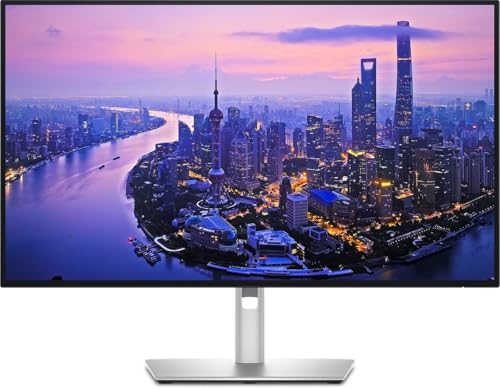
Dell UltraSharp U2725QE 27-Inch 4K UHD
Average rating left by Amazon buyers Very positive
What the listing highlights
- 4K UHD IPS Black Display with Factory Calibration: 3840 x 2160 resolution and 99% DCI-P3 color coverage calibrated to Delta E less than 1.5 for professional color accuracy.
- 120Hz Refresh Rate and 5ms Response Time: Smooth, fluid motion with reduced blur for fast-paced workflows and seamless multitasking across multiple applications.
- Thunderbolt 4 Single Cable Solution Transmits video, data, and up to 140W power simultaneously, with daisy chain support for up to two additional 4K monitors.
What to check on the listing
- No Prime badge on this listing.
- Sold by -ATHQ-; the listing does not show Amazon fulfilment.
Both columns are read from the Amazon product page. Nothing here comes from hands-on use.
Best for Creative professionals and high-power workstations
Pros
- Thunderbolt 4 with 140W charging
- IPS Black with factory calibration
- Built-in ambient light sensor
Cons
- Advanced capabilities exceed basic family needs
The Dell UltraSharp U2725QE 27-Inch 4K UHD is designed for demanding creative tasks and technical productivity. Its 4K IPS Black panel features factory calibration with a Delta E under 1.5 and 99% DCI-P3 coverage for precise color rendering. The display runs at 120Hz with a 5ms response time, 450 cd/m² brightness, and VESA DisplayHDR 600 support. A built-in ambient light sensor automatically balances screen brightness to ambient lighting, easing eye strain as daylight changes.
Connectivity centers on a Thunderbolt 4 hub supplying video, high-speed data, and up to 140W of laptop power delivery over a single cord. The interface includes HDMI 2.1, USB-C, USB-A, and an RJ45 Ethernet port, alongside daisy-chain support for running up to two additional 4K monitors. While some workspaces explore curved alternatives like a dell 34 inch curved monitor, this display’s multi-screen daisy chaining provides outstanding modular expansion.
A fully adjustable stand provides tilt, swivel, pivot, and height articulation, supported by ComfortView Plus and a 3-year Advanced Exchange warranty. The dell ultrasharp u2725qe is ideal for remote professionals requiring exacting color accuracy and heavy laptop charging. It gives way to S-series models for everyday household computing where high-wattage Thunderbolt 4 features exceed standard needs.

Model 04 of 06
Dell DELL-P2725QE 27 in. Pro Plus
Average rating left by Amazon buyers Mostly positive
What the listing highlights
- 27 16 9 IPS Panel
- HDMI, DisplayPort, USB-C
- 3840 x 2160 at 100 Hz
What to check on the listing
- No Prime badge on this listing.
- Sold by Focus Camera LLC; the listing does not show Amazon fulfilment.
Both columns are read from the Amazon product page. Nothing here comes from hands-on use.
Best for Home office workers needing ergonomic flexibility
Pros
- Full four-way ergonomic adjustability
- Smooth 100Hz refresh rate
Cons
- Does not include cable accessories bundle
The Dell DELL-P2725QE 27 in. Pro Plus focuses on workday comfort and flexible connectivity for home productivity. Operating at 3840 x 2160 resolution with an upgraded 100Hz refresh rate, it produces smoother cursor tracking and window movement than traditional 60Hz office screens. The 16:9 IPS panel provides a 1500:1 static contrast ratio, 350 nits of brightness, a 5ms gray-to-gray response time, and 99% sRGB color coverage supporting 1.07 billion colors.
A fully adjustable stand offers tilt, swivel, height, and portrait pivot adjustments, allowing family members of varying heights to maintain an ergonomic posture. Connectivity includes HDMI, DisplayPort, and USB-C inputs to handle desktop computers and laptops alike.
This dell p2725qe 4k display is among the best dell 4k monitor for home office setups needing durable ergonomics and long-term visual comfort. It gives way to the bundled retail option if you need an all-inclusive set of cables, or to the UltraSharp series for 120Hz refresh rates and advanced color gamuts.
Model 05 of 06
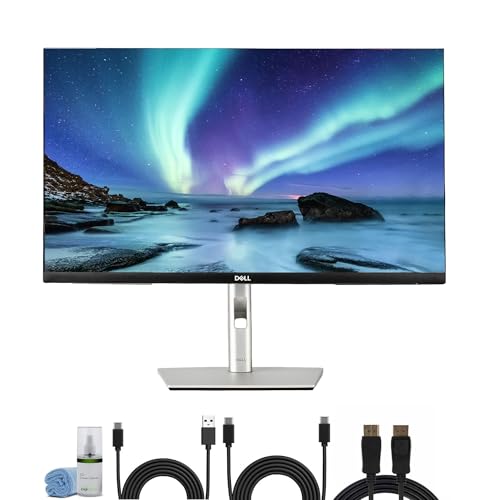
Dell P2725QE 27" 4K UHD Monitor
Average rating left by Amazon buyers Mostly positive
What the listing highlights
- Item Bundle Includes 1 x Dell P2725QE 27″ 4K UHD USB Type-C Hub Monitor, 1 x AC Power Cable, 1 x DisplayPort to DisplayPort 1.4 Cable, 1 x USB-C to C Cable, 1…
- Enjoy breathtaking 4K UHD clarity on a 27-inch IPS panel that delivers true-to-life color accuracy, deep contrast, and wide viewing angles—ideal for creative professionals or productivity-focused users. The ultra-sharp display…
- Simplify your workspace with an all-in-one USB-C connection providing 90W power delivery, data transfer, and video output through a single cable—perfect for charging laptops or connecting modern devices without clutter.
What to check on the listing
- No Prime badge on this listing.
- Sold by 6ave; the listing does not show Amazon fulfilment.
Both columns are read from the Amazon product page. Nothing here comes from hands-on use.
Best for Complete turnkey desk setups requiring all cables
Pros
- Includes full cable bundle and cleaning kit
- 90W USB-C power delivery
- Full ergonomic height and pivot stand
Cons
- Listing notes glossy screen finish
The Dell P2725QE 27″ 4K UHD Monitor bundle provides a complete, out-of-the-box workstation package. Alongside the 27-inch 4K USB Type-C hub display, it includes an AC power cable, DisplayPort to DisplayPort 1.4 cable, USB-C to USB-C cable, USB Type-C to Type-A cable, HDMI cable, and a Diginerds cleaning kit. This assortment ensures immediate plug-and-play setup with both desktop towers and modern notebooks without extra purchases.
The monitor integrates a USB-C hub with 90W power delivery, sending video, data, and laptop charging through one connection to keep workspaces organized. The listing specifies an IPS panel with 3840 x 2160 resolution, a 2000:1 contrast ratio, ComfortView Plus low blue light technology, and a glossy screen finish. The ergonomic stand provides tilt, swivel, pivot, and height adjustments to match diverse user heights and desktop layouts.
This bundle is an excellent choice for buyers setting up a new home workstation who want all necessary cables and accessories included upfront. It gives way to the standalone P-series unit for users who already own display cables and prefer a matte screen finish.

Model 06 of 06
Dell S2721Q 27 Inch 4K UHD
Average rating left by Amazon buyers Overwhelmingly positive
What to check on the listing
- No Prime badge on this listing.
- Sold by TC Prime Electronics; the listing does not show Amazon fulfilment.
Both columns are read from the Amazon product page. Nothing here comes from hands-on use.
Best for Straightforward 4K computing on desktop PCs
Pros
- Ultra-sharp 4K IPS clarity
- AMD FreeSync support
- Clean ultra-thin bezel design
Cons
- Standard 60Hz refresh rate
- No USB-C connectivity
The Dell S2721Q 27 Inch 4K UHD provides dependable Ultra HD clarity for general home computing. Featuring a 27-inch IPS panel running at 60Hz, it delivers sharp text, clear photo rendering, and expansive 3840 x 2160 desktop real estate for family tasks and web browsing. The display offers a 1000:1 contrast ratio, 350 nits brightness, wide 178-degree viewing angles, and High Dynamic Range support, housed in a sleek silver chassis with ultra-thin bezels.
AMD FreeSync synchronizes the display with compatible graphics cards to reduce stuttering during casual entertainment and light gaming. The listing specifies a glossy finish that emphasizes visual vibrance, while dual HDMI ports and a DisplayPort connection support desktop PCs and media devices. VESA mount compatibility allows mounting on third-party desk arms to preserve surface space.
The dell s2721q 27 inch is a solid option when deciding which dell 27 inch 4k monitor to buy for basic family computing without paying for extra hub hardware. It gives way to the S2725QS or S2725QC when users want a faster 120Hz refresh rate, certified blue light reduction, or USB-C laptop charging.
Matching a Model to Your Setup
- Shared Living Spaces and Multimedia: Choose the Dell 27 Monitor S2725QS for its 120Hz refresh rate, re-engineered built-in speakers, and modern ash white finish.
- Color-Critical Creative Studios: Select the Dell UltraSharp U2725QE 27-Inch 4K UHD for factory-calibrated IPS Black contrast, 140W Thunderbolt 4 docking, and ambient light sensing.
- Ergonomic Home Workspaces: Pick the Dell DELL-P2725QE 27 in. Pro Plus for full four-way stand adjustments, 100Hz visual smoothness, and TUV eye protection.
- Complete Turnkey Workstations: Opt for the Dell P2725QE 27″ 4K UHD Monitor bundle to receive comprehensive cables, a cleaning kit, and 90W USB-C laptop power.
- Everyday Desktop PC Setups: Rely on the Dell S2721Q 27 Inch 4K UHD for sharp 4K IPS clarity, AMD FreeSync, and straightforward HDMI and DisplayPort inputs.
Before You Buy
Before purchasing a 27-inch 4K screen, verify the power requirements and port types of your home computers. While the S2725QC, P2725QE, and U2725QE all support USB-C laptop charging, their output levels range from 65W to 140W. High-performance laptops used for content creation or intensive computing often need more than 65W to charge under load, making the 90W P-series or 140W UltraSharp a better fit. Cable inclusions also vary; while the P2725QE bundle supplies DisplayPort, USB-C, and HDMI cables, standalone models like the S2721Q or S2725QS may include only one cord, requiring you to verify package contents or supply your own cables.
Workspace lighting and physical stand adjustments also require advance planning. Matte finishes, such as those on the S2725QS, S2725QC, and U2725QE, handle window reflections more effectively than glossy screens. Furthermore, ensure your desk setup matches the stand’s capabilities, as only the P-series and UltraSharp models provide full height adjustment and portrait rotation. If your desk accommodates broad visual layouts, comparing these 27-inch options against a dell 43 inch 4k monitor can help you decide between a single large display and a modular dual-screen workspace.
FAQ
Which Dell 27-inch 4K monitor is best for a shared family workspace?
The Dell 27 Monitor S2725QC is an outstanding option for shared family desks because its 65W USB-C connection allows parents and students to plug in different laptops with a single cable.
How does ComfortView Plus protect eye comfort during long work sessions?
ComfortView Plus is Dell’s built-in hardware solution that reduces harmful blue light emissions to 35 percent or lower. Unlike software filters that apply a heavy yellow tint, it operates continuously at the panel level to preserve accurate onscreen color while lessening eye fatigue during long workdays.
What is the difference between Dell S-series, P-series, and UltraSharp models?
Dell S-series models are consumer displays designed with living-room styling, integrated speakers, and smooth refresh rates. P-series monitors prioritize office productivity with full four-way ergonomic stands and versatile USB-C hubs. UltraSharp screens deliver premium performance with factory color calibration, IPS Black contrast, and high-wattage Thunderbolt 4 connectivity.
Can a Dell 27-inch 4K IPS display charge a connected laptop?
Yes, models with USB-C or Thunderbolt 4 ports provide single-cable laptop charging. The S2725QC delivers up to 65W, the P2725QE provides 90W, and the UltraSharp U2725QE supplies up to 140W. Models lacking USB-C, like the S2725QS and S2721Q, require the laptop’s dedicated charger.
Is a 120Hz refresh rate necessary on a 4K office monitor?
While 60Hz is adequate for basic office tasks, a 120Hz refresh rate creates noticeably smoother cursor tracking and window scrolling. This added fluidity reduces eye fatigue during extended screen use and improves responsiveness when switching between productivity applications and casual entertainment.


