Finding the Best Pixio 1440p Monitor for Everyday Gaming and Work
Selecting a new display for a busy home requires balancing visual fidelity, gaming fluidity, and physical durability. When choosing among 1440p Quad HD monitors, households often find themselves weighing competing panel technologies, refresh rate thresholds, and desktop footprints. A sharp 2560 x 1440 pixel grid offers significantly more working area and finer graphic clarity than…
As Amazon Associates, we earn from qualifying purchases. This means we may receive a small commission at no extra cost to you if you click through and make a purchase.
Selecting a new display for a busy home requires balancing visual fidelity, gaming fluidity, and physical durability. When choosing among 1440p Quad HD monitors, households often find themselves weighing competing panel technologies, refresh rate thresholds, and desktop footprints. A sharp 2560 x 1440 pixel grid offers significantly more working area and finer graphic clarity than standard 1080p without demanding the immense graphics hardware necessary to run 4K screens smoothly. Because family workstations routinely shift between remote office duties, homework research, console gaming, and fast-action PC play, finding a display that balances broad viewing angles, responsive input times, and adaptable connectivity is paramount for long-term daily satisfaction.
The Pixio catalog addresses these multi-purpose requirements through a clearly defined lineup categorized by chassis design, panel construction, and ergonomic intent. Shoppers conducting a thorough pixio 1440p monitor comparison will note that the brand organizes its range into distinctive sub-families. The lifestyle-oriented Wave collection features clean white enclosures, integrated audio, and gentle curves or flat Fast IPS screens suited for central living areas. The Prime Neo series targets dedicated competitive gaming with accelerated refresh rates and fully articulated stands, while specialized ultrawide productivity displays and premium WOLED panels offer tailored options for creative multitasking or high-end visual immersion. Deciding which pixio 1440p monitor to buy depends largely on whether your household prioritizes ergonomic flexibility, contrast performance, or simplified single-cable laptop docking.
Pixio 1440p Monitors Lineup at a Glance
| Model | Screen Size & Panel Type | Refresh Rate & Response | Key Connectivity | Notable Stand or Feature |
|---|---|---|---|---|
| Pixio PX278 Wave White 27 inch | 27-inch Flat Fast IPS | 180Hz, 1ms GTG | 1x DP 1.4, 2x HDMI 2.0 | Built-in speakers, white chassis |
| Pixio PX24Q PRO 24 inch 180Hz | 24-inch Flat Fast IPS | 180Hz, 1ms GTG | DisplayPort and HDMI | High-density compact 24-inch form factor |
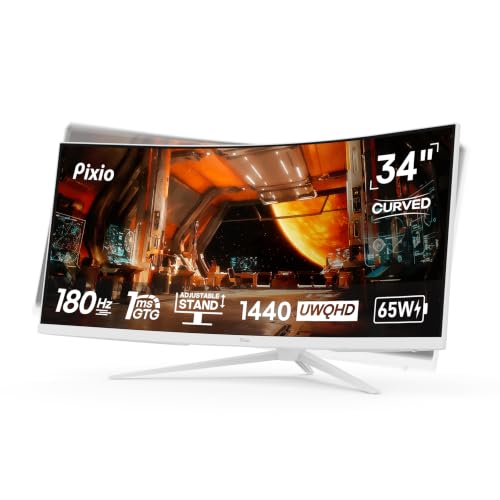
| Pixio PXC348C Neo White 34″ 180Hz | 34-inch 1000R Curved Fast VA | 180Hz, 1ms | USB-C (65W), 1x DP 1.4, 2x HDMI 2.0 | 21:9 ultrawide, 65W power delivery |
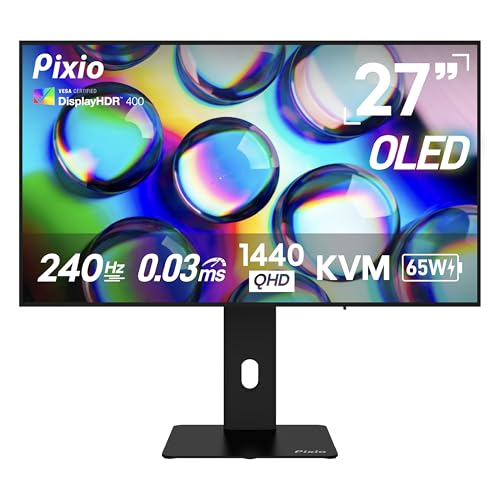
| Pixio 27″ WOLED Gaming Monitor | 27-inch Flat WOLED | 240Hz, 0.03ms | USB-C (65W), 1x DP 1.4, 2x HDMI 2.1 | Integrated KVM switch, fully adjustable stand |
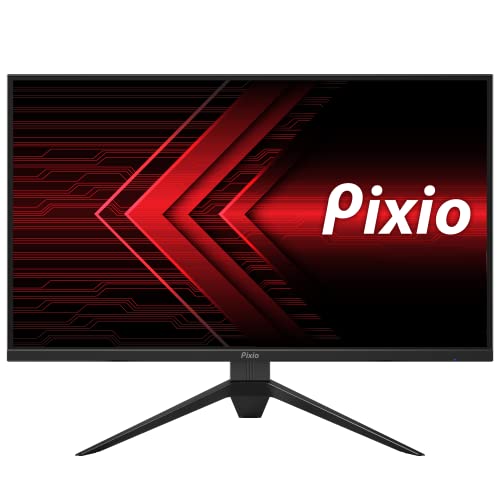
| Pixio PX277 Prime Neo V2 27 | 27-inch Flat Fast IPS | 200Hz, 1ms GTG | 1x DP 1.4, 2x HDMI 2.0 | Fully adjustable ergonomic stand |
| Pixio PXC278 Wave White 27 inch | 27-inch 1650R Curved Fast VA | 180Hz, 1ms GTG | DisplayPort and HDMI | 1650R curve, high contrast ratio |
Figures in this table come from the write-up and the product pages it links to.
The Models in Detail

Model 01 of 06
Pixio PX278 Wave White 27 inch
Our score Overwhelmingly positive
What the listing highlights
- Unleash the Power of 180Hz Refresh Rate – Enjoy fluid on-screen action with minimal motion blur, giving you the split-second advantage in fast-paced games.
- Lightening-Fast 1ms Response time – See your actions come to life instantly with a remarkable 1ms response time. No more frustrating ghosting or trailing, just pure, unadulterated speed that gives…
- Crisp and Vibrant 27″ IPS Display – Experience breathtaking visuals with exceptional color accuracy and wide viewing angles on the 2560 x 1440 resolution display.
What to check on the listing
- No Prime badge on this listing.
- Sold by Pixio; the listing does not show Amazon fulfilment.
Both columns are read from the Amazon product page. Nothing here comes from hands-on use.
Best for Family desks needing clean styling and audio
Pros
- Fast IPS 180Hz panel
- Integrated audio speakers
- Wide 135.76 color gamut
Cons
- Fixed stand lacks height adjustment
- HDMI capped at 144Hz
Designed to blend into contemporary domestic spaces, the Pixio PX278 Wave White 27 inch pairs modern styling with high-performance desktop specifications. The monitor utilizes a 27-inch Fast IPS panel running at a crisp 2560 x 1440 resolution, delivering wide 178-degree viewing angles and a broad 135.76 color gamut rating. With a 180Hz refresh rate and a rapid 1ms GTG response time, the panel delivers blur-free motion clarity across fast-paced gaming genres. AMD FreeSync technology is built in, matching the display refresh rate to incoming GPU frame delivery to eliminate visual tearing and stuttering during demanding gaming sessions.
Beyond competitive specs, this pixio qhd gaming monitor provides everyday family conveniences that streamline shared desks. Pixio equips the display with integrated audio speakers, enabling instant sound playback for school video calls, video streaming, or casual gaming without cluttering the desk with external speakers and power bricks. Port connectivity includes one DisplayPort 1.4 connection supporting 1440p at the full 180Hz, alongside two HDMI 2.0 ports that drive 1440p at up to 144Hz. This layout allows households to keep a home computer and game consoles permanently connected without constantly swapping cables. The matte screen finish and 350 cd brightness help minimize glare in sunlit rooms.
The PX278 Wave White is ideal for multi-user family desks where visual presentation and built-in audio take priority over extreme ergonomic articulation. Where this model yields ground is physical adjustability; its included stand provides basic positioning without the height, pivot, or swivel versatility found on Pixio’s Prime Neo and WOLED units. Households seeking extensive ergonomic tailoring or higher contrast ratios will find better fits elsewhere in the lineup, but for clean aesthetics and dependable daily performance, this display serves as a balanced benchmark.

What the listing highlights
- 1440P RESOLUTION – With a sharp and crisp QHD 1440p resolution, the PX24Q Pro brings every game detail to life with vibrant colors and clarity, delivering visuals that will make…
- 180HZ REFRESH RATE – Dominate your games with 180Hz refresh rate, ensuring silky-smooth motion and reducing lag for fast-paced action. Whether you’re in the middle of a high-speed chase or…
- 1MS GTG RESPONSE TIME – Eliminate ghosting and blurring with the 1ms GTG response time of our monitor. Experience lightning-fast response times for a competitive edge in gaming and a…
What to check on the listing
- No Prime badge on this listing.
- Sold by Pixio; the listing does not show Amazon fulfilment.
Both columns are read from the Amazon product page. Nothing here comes from hands-on use.
Best for Compact desks prioritizing high pixel density
Pros
- Dense 24-inch QHD visual clarity
- Smooth 180Hz refresh rate
- 1ms GTG response speed
Cons
- Moderate 300 cd brightness
- Listing omits specific port details
For workstations where physical space is at a premium, the Pixio PX24Q PRO 24 inch 180Hz delivers an uncommon combination of compact dimensions and dense visual definition. Packing a full QHD 1440p resolution into a 24-inch diagonal screen produces exceptional pixel density, ensuring text, office documents, and gaming textures render with pinpoint sharpness. Like its larger sibling, this display utilizes a Fast IPS panel that delivers 178-degree viewing angles while achieving a rapid 1ms GTG response time to suppress distracting motion trails during rapid mouse movements.
Operating at a fluid 180Hz refresh rate, the Pixio PX24Q PRO 24 inch ensures games feel snappy and responsive, giving players a competitive edge in shooters and driving titles where low display lag is essential. Pixio specifies a 1000:1 contrast ratio and a matte panel coating that diffuses ambient room reflections, backed by a 300 cd brightness level. The compact footprint makes it a natural addition to narrow study tables, student bedrooms, or secondary side monitors in a multi-screen configuration. Readers reviewing our broader analysis of a pixio 27 inch monitor will notice that this 24-inch variant offers tighter pixel spacing at the expense of overall screen real estate.
This model is built specifically for users with tight desk depth or gamers who favor smaller display frames to keep the entire field of view within their immediate focal range. However, it gives way to the 27-inch and 34-inch models when it comes to collaborative multi-window workflows or cinematic immersion. The listing does not specify internal speakers, USB connectivity, or comprehensive stand adjustments, so users requiring built-in audio or integrated laptop charging should look toward the higher-tier models in the brand catalog.
Model 03 of 06
Pixio PXC348C Neo White 34" 180Hz
Our score Mostly positive
What the listing highlights
- Immersive 34″ UWQHD Curved Display – Dive into a stunning 34-inch ultrawide screen with 3440x1440p resolution and a 1000R curvature, offering an expansive, immersive experience for gaming, movies, and productivity.
- Smooth 180Hz Refresh Rate – Play your favorite games with ultra-smooth motion and reduced motion blur thanks to a rapid 180Hz refresh rate, ensuring competitive edge and fluid gameplay in…
- Vibrant HDR for Richer Colors – High Dynamic Range (HDR) support enhances color contrast, brightness, and detail, delivering more lifelike visuals with deeper blacks and brighter whites for an immersive…
What to check on the listing
- No Prime badge on this listing.
- Sold by Pixio; the listing does not show Amazon fulfilment.
Both columns are read from the Amazon product page. Nothing here comes from hands-on use.
Best for Multitaskers wanting ultrawide curved workspace
Pros
- Expansive 21:9 UWQHD screen
- 65W USB-C laptop charging
- Deep 3000:1 contrast ratio
Cons
- Requires 12 inches of desk depth
- HDMI restricted to 100Hz
The Pixio PXC348C Neo White 34″ 180Hz shifts the computing experience toward expansive ultrawide immersion. Featuring a 34-inch Fast VA panel with a deep 1000R curvature, this display envelops the viewer’s peripheral vision to match natural eye contours, reducing eye fatigue during prolonged workdays and deep-dive gaming sessions. The 21:9 aspect ratio and 3440 x 1440 UWQHD resolution provide substantial horizontal desktop space, allowing users to arrange multiple browser windows, spreadsheets, and reference documents side by side without needing dual physical monitors.
In terms of performance, the Pixio PXC348C Neo White 34 brings competitive gaming agility to the ultrawide format with its 180Hz refresh rate, 1ms response time, and Adaptive Sync support. The VA panel technology delivers a 3000:1 contrast ratio, generating deeper black levels and richer visual depth than standard IPS alternatives, complemented by HDR processing and a solid 400 cd brightness rating. For home office efficiency, the monitor integrates a versatile USB-C port that carries both video signal via DisplayPort Alt Mode at 1440p@180Hz and supplies up to 65W of power delivery, enabling single-cable laptop charging and display output.
Multitasking parents and productivity-driven power users will find this curved ultrawide uniquely capable of replacing messy multi-screen setups. It also supports traditional connections via one DisplayPort 1.4 port running at 180Hz and two HDMI 2.0 ports capped at 100Hz. It gives way to the standard 16:9 flat screens if your workstation lacks physical depth, as its curved chassis spans over 31 inches in width and requires 12 inches of desk depth to accommodate the stand properly.
Model 04 of 06
Pixio 27" WOLED Gaming Monitor
Our score Overwhelmingly positive
What the listing highlights
- 27″ WOLED Panel – Witness unparalleled picture quality with deep, inky blacks, vibrant colors, and incredible contrast. Immerse yourself in realistic visuals that come to life.
- 240Hz Refresh Rate – Experience ultra-smooth, tear-free gameplay with virtually no motion blur. Every frame rendered perfectly for lightning-fast reflexes and competitive edge.
- USB-C Charging and Display – Connect and charge your laptop or compatible devices with the versatile USB-C port, delivering up to 65W of power. This will also provide 1440p@240Hz for…
What to check on the listing
- No Prime badge on this listing.
- Sold by Pixio; the listing does not show Amazon fulfilment.
Both columns are read from the Amazon product page. Nothing here comes from hands-on use.
Best for Enthusiasts seeking peak contrast and dual-PC workflow
Pros
- Self-emissive WOLED true blacks
- 240Hz refresh and 0.03ms response
- Built-in KVM and full ergonomics
Cons
- Higher hardware investment
- Chassis footprint requires ample space
At the apex of visual fidelity within the brand’s catalog stands the Pixio 27″ WOLED Gaming Monitor, also identified in the listing as the Pixio PX277 OLED Max V2. Utilizing an advanced self-emissive 27-inch WOLED panel, this display delivers practically infinite contrast with a 1,500,000:1 ratio and true inky blacks certified by DisplayHDR True Black 400. Unlike traditional backlit panels, individual pixels switch on and off independently, eliminating backlight bleed and halo effects around bright objects. The panel reaches an astonishing 0.03ms response time paired with a blistering 240Hz refresh rate, creating razor-sharp motion handling without perceptible ghosting.
Beyond its striking gaming metrics, this monitor is engineered as an advanced productivity hub for shared household hardware. It incorporates a hardware KVM switch, allowing users to control two separate connected computers—such as a work laptop and a home desktop—using a single keyboard and mouse set. Its USB-C interface provides 65W power delivery alongside high-speed video support at 1440p@240Hz. Video input is rounded out with one DisplayPort 1.4 port and two full-bandwidth HDMI 2.1 ports, both capable of driving native 1440p resolution at 240Hz across modern graphics cards and current-generation gaming consoles.
Physical flexibility is another major asset, as the display includes a fully adjustable stand offering height adjustment, tilt, swivel, and 90-degree pivot into portrait mode. An integrated RGB rear light adds ambient flair. This monitor suits demanding enthusiasts and dual-system remote professionals who require absolute color accuracy, rapid switching between devices, and top-tier response metrics. It gives way to the standard LED-backlit models only for shoppers who do not require workstation switching tools or specialized OLED picture technology.
What the listing highlights
- 200Hz Refresh Rate- Experience smoother gameplay and more immersive visuals in fast-paced games and high-action scenes with the 200Hz refresh rate. Less ghosting and tearing, more fluid gaming experience.
- Fast-IPS Panel – Get the best of both worlds with the FAST-IPS panel. Enjoy the vibrant colors and wide viewing angles of an IPS display, combined with the lightning-fast response…
- Adaptive Sync – Matches the refresh rate of the monitor to the frame rate of the GPU, eliminating screen tearing and stuttering for a smooth and seamless gaming experience.
What to check on the listing
- No Prime badge on this listing.
- Sold by Pixio; the listing does not show Amazon fulfilment.
Both columns are read from the Amazon product page. Nothing here comes from hands-on use.
Best for Competitive players wanting high speed and ergonomics
Pros
- Fast 200Hz refresh rate
- Fully adjustable ergonomic stand
- Bright 400 cd panel
Cons
- Lacks USB-C charging
- HDMI capped at 144Hz
The Pixio PX277 Prime Neo V2 27 is purpose-built as an esports-focused workhorse, prioritizing high frame rate stability, robust ergonomics, and color consistency. Billed as the best pixio 1440p gaming monitor for competitive play on a flat IPS panel, this display steps beyond standard refresh rates by delivering a swift 200Hz maximum frequency over DisplayPort 1.4. The 27-inch Fast IPS panel maintains a sharp 2560 x 1440 resolution, 1ms GTG response speed, and wide 178-degree viewing angles, preventing color shifting when shifting positions at the desk.
Physical adjustability is standard on the Pixio PX277 Prime Neo V2 27, featuring a fully articulated ergonomic stand that allows users to adjust panel height, tilt the viewing angle, swivel horizontally, or pivot the screen entirely. This adjustability makes it simple for different family members to customize the display to their eye level, promoting healthy posture during long homework sessions or late-night gaming. The panel outputs a strong 400 cd brightness level with wide color gamut coverage and HDR support, backed by Adaptive Sync to prevent tearing across varied frame rates.
Connectivity options include one DisplayPort 1.4 input capable of running at 200Hz and two HDMI 2.0 inputs that support 1440p up to 144Hz. This model is exceptionally well suited to competitive gamers and active households who want maximum fluid frame rates and full physical adjustability without curved distortions. It gives way to the PXC348C Neo or the WOLED model when users require single-cable USB-C laptop docking or deep black level performance in dimly lit entertainment spaces.

Model 06 of 06
Pixio PXC278 Wave White 27 inch
Our score Very positive
What the listing highlights
- IMMERSIVE CURVED DESIGN – The 1650R curvature draws you into the action, providing a more panoramic and engaging view for a truly immersive gaming experience.
- BLAZING-FAST 180Hz REFRESH RATE – Experience tear-free and buttery-smooth gameplay, giving you a competitive edge in fast-paced titles.
- 1MS GTG RESPONSE TIME – Experience pixel-perfect precision with a 1ms (Gray-to-Gray) response time. Say goodbye to ghosting and motion blur, ensuring you’re always one step ahead of the competition.
What to check on the listing
- No Prime badge on this listing.
- Sold by Pixio; the listing does not show Amazon fulfilment.
Both columns are read from the Amazon product page. Nothing here comes from hands-on use.
Best for Gamers preferring wrapped immersion and contrast
Pros
- Immersive 1650R curvature
- High-contrast Fast VA panel
- Smooth 180Hz refresh rate
Cons
- Narrower off-center viewing sweet spot
- Stand lacks ergonomic adjustments
Blending curved immersion with the brand’s signature clean aesthetics, the Pixio PXC278 Wave White 27 inch delivers a focused alternative to flat displays. Built on a 27-inch Fast VA panel featuring a gentle 1650R curvature, the display pulls the edges of the image toward the user, creating an engaging visual wrap that enhances flight simulators, racing games, and widescreen cinema. The 2560 x 1440 QHD resolution ensures crisp visual clarity across the curved surface, while the matte finish curbs unwanted light reflections.
Performance remains tuned for responsiveness with a 180Hz refresh rate, 1ms GTG response time, and Adaptive Sync support to guarantee fluid, tear-free motion. The inherent strengths of Fast VA panel architecture provide elevated contrast and deeper shadows compared to baseline IPS displays, making game worlds and high-contrast video content feel richer and more three-dimensional. HDR support expands dynamic range further by balancing highlighted details against dark backgrounds.
This curved display suits individual players and desk setups where deep contrast and panoramic immersion enhance the gaming atmosphere. However, it gives way to the flat IPS models like the PX278 Wave or PX277 Prime Neo when the monitor must serve multiple viewers simultaneously from off-axis angles, as VA panels typically exhibit narrower optimal viewing sweet spots than their IPS counterparts. The listing does not specify built-in speakers, USB-C functionality, or multi-axis stand ergonomics, meaning users prioritizing full physical adjustments may prefer mounting it on an aftermarket arm.
Matching a Model to Your Setup
- Shared Family Living Spaces: The Pixio PX278 Wave White 27 inch fits open household areas with its clean white shell, glare-resistant Fast IPS panel, and integrated audio speakers that eliminate desktop speaker clutter.
- High-Density Compact Workstations: The Pixio PX24Q PRO 24 inch 180Hz suits smaller study desks, student rooms, or secondary vertical setups requiring maximum pixel clarity across a compact 24-inch frame.
- All-in-One Productivity and Remote Work: The Pixio PXC348C Neo White 34″ 180Hz excels for home office professionals who need to replace dual screens with an expansive 21:9 ultrawide canvas backed by 65W USB-C laptop charging.
- High-End Multi-System Battlestations: The Pixio 27″ WOLED Gaming Monitor serves power users needing an integrated KVM switch to toggle between work laptops and gaming desktops, combined with 240Hz speed and infinite OLED contrast.
- Competitive Esports Enthusiasts: The Pixio PX277 Prime Neo V2 27 caters to fast-paced competitive players who require a flat 200Hz Fast IPS display supported by a fully adjustable ergonomic stand.
- Atmospheric Solo Gaming Nooks: The Pixio PXC278 Wave White 27 inch provides immersive wrap-around visuals and high VA contrast for gamers who prioritize deep shadow details in darkened rooms.
Before You Buy
When selecting a monitor from this catalog, it is critical to evaluate what the listings do not specify regarding included accessories and port limits. While several models feature high refresh rates up to 180Hz, 200Hz, or 240Hz, these peak frequencies are frequently restricted to specific inputs. For example, several models provide their highest refresh rate exclusively over DisplayPort 1.4 or USB-C, while their HDMI 2.0 ports cap output at 100Hz or 144Hz. The product listings do not specify the exact cable varieties bundled inside every retail box, so buyers planning to connect via DisplayPort or utilize 65W USB-C power delivery should be prepared to verify bundled cables upon delivery or supply high-spec cables independently. When reviewing general peripheral builds on our site, as highlighted in our breakdown of gawfolk 27 inch 1440p 180hz options, verifying input bandwidth is always essential.
Physical ergonomics and spatial accommodation also demand careful measurement before finalizing your setup. The baseline Wave series displays utilize fixed, minimalist stands that lack height adjustment, swivel, or pivot functions, meaning you may need a separate monitor riser if you require elevated sightlines. Furthermore, the listings do not state specific VESA mounting pattern measurements for several of these models, nor do they detail the presence of auxiliary 3.5mm headphone passthrough jacks on every unit. Ensuring your desk can accommodate substantial stand depth—ranging up to 12 inches on the 34-inch ultrawide—will prevent crowded workspaces and protect long-term viewing comfort.
FAQ
What is the difference between Fast IPS and Fast VA panels in this lineup?
Fast IPS panels, utilized on models like the PX278 Wave and PX277 Prime Neo, offer consistent color reproduction and wide 178-degree viewing angles, making them well suited for shared desks where viewers look at the screen from different angles. Fast VA panels, found on curved models like the PXC348C Neo and PXC278 Wave, produce significantly higher static contrast ratios (up to 3000:1), resulting in deeper black levels and richer visual depth in dark environments, though their colors can shift slightly when viewed from extreme off-center angles.
Can I charge my laptop directly through these monitors?
Only models equipped with USB-C power delivery can charge your laptop directly. In this specific lineup, both the Pixio PXC348C Neo White 34″ and the Pixio 27″ WOLED Gaming Monitor provide a versatile USB-C connection capable of delivering up to 65W of power while simultaneously transmitting high-refresh 1440p video. The other listed models (PX278 Wave, PX24Q PRO, PX277 Prime Neo V2, and PXC278 Wave) rely on standard DisplayPort and HDMI inputs and do not support laptop charging.
How does the built-in KVM switch work on the WOLED model?
The integrated KVM switch on the Pixio 27″ WOLED Gaming Monitor enables you to connect two separate computing devices—such as a dedicated desktop PC and a work laptop—to the display at the same time. By plugging your keyboard and mouse into the monitor’s USB hub, you can seamlessly switch control between both connected systems without manually swapping peripheral cables, streamlining workstations shared between professional duties and gaming.
Why does 1440p resolution look exceptionally crisp on a 24-inch screen?
Screen sharpness is dictated by pixel density, which measures how many pixels are packed into each inch of physical display space. While 1440p is traditionally paired with 27-inch displays, placing that same 2560 x 1440 pixel grid onto a smaller 24-inch frame, as seen on the Pixio PX24Q PRO, yields a significantly tighter pixel layout. This creates smoother fonts, sharper raster lines, and fine UI clarity without requiring high desktop scaling settings.
Do all of these monitors support adaptive frame rate technologies?
Yes, all six models feature synchronization technology, specified in listings as either AMD FreeSync or Adaptive Sync. These technologies communicate directly with compatible graphics processors to continuously align the refresh rate of the monitor with the frame output of your GPU. This process prevents screen tearing, reduces display stutter, and ensures fluid visuals across varying frame rates during intensive gameplay.


